WhatsApp AI Expense Tracker: Log Spending Without Opening an App
You check WhatsApp 80+ times a day. What if tracking expenses was as simple as sending a message?
The reason most people stop tracking expenses is not laziness or lack of motivation. It is friction. Opening a dedicated app, navigating to the "add expense" screen, typing the amount, selecting a category, and hitting save — that is 30 seconds and 6-8 taps per transaction. Multiply by 3-5 cash transactions per day, and you are spending 2-4 minutes daily on data entry According to Meta WhatsApp Business platform, this aligns with broader consumer-finance trends.
WhatsApp-based expense tracking collapses that to one step: send a message. "Coffee $4.50." Done. The AI handles categorization, budget updates, and running totals. You never leave the app you are already in.
How WhatsApp Expense Tracking Works
The concept is straightforward, but the technology underneath is sophisticated. Here is the flow:
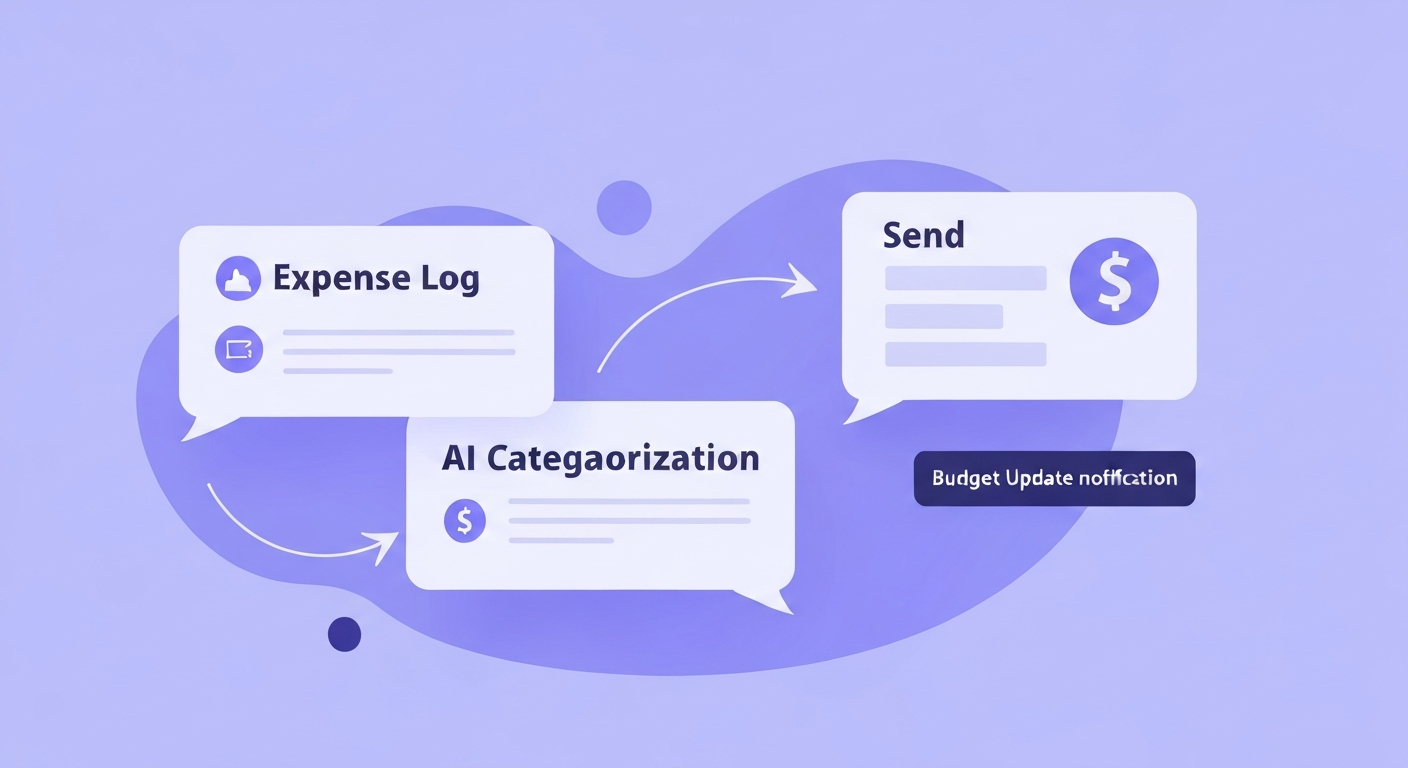
- You send a message. Natural language, no special format required. "Lunch $14" or "Uber to airport $38.50" or "groceries at Trader Joe's $92."
- AI parses the message. Natural language processing extracts the amount, optional merchant name, and infers a category. If you mention "Trader Joe's," it knows that is groceries.
- Categorization and budget update. The expense is logged, categorized, and deducted from your relevant budget category. Your remaining daily/weekly budget is recalculated.
- Confirmation response. The AI assistant responds with a brief confirmation: the amount, category, and your updated budget status. Example: "Groceries $92 logged. Food budget: $158 remaining this week."
- Query support. You can also ask questions: "How much did I spend on dining this month?" or "What is my grocery total this week?" The AI assistant responds instantly.
Why WhatsApp Instead of a Dedicated App?
The data speaks for itself. WhatsApp has 2.7 billion monthly active users globally. In the US, usage has grown 30% year-over-year since 2023. More importantly, the average user opens WhatsApp 23-25 times per day. That is not a behavior you need to build — it already exists.
Dedicated finance apps fight for one of your 85 daily phone checks. WhatsApp already has 25 of them. By embedding expense tracking into WhatsApp, the "open rate" problem disappears. You are not asking users to build a new habit. You are attaching expense tracking to a habit that already runs 25 times daily.
This matters for long-term consistency. The biggest predictor of whether someone will maintain a budget is how easy the daily tracking is. WhatsApp reduces the effort to near zero.
kNexo: The WhatsApp-Native Finance AI assistant
kNexo is built around WhatsApp integration as a primary input channel, not a bolt-on feature. The difference matters in the details:
- Natural language understanding. No rigid format. "Spent $45 on dinner" and "dinner 45" and "$45 restaurant" all work.
- Context awareness. If you log "coffee $5" at 7 AM, the AI infers "Breakfast/Coffee." The same message at 3 PM gets categorized as "Afternoon snack" if your categories distinguish them, or "Food & Drink" if they do not.
- Split detection. "Dinner $80 split with Tom" logs $40 to your budget. The AI handles the math.
- Multi-currency. If you travel, send expenses in local currency and the system converts based on the day's rate.
- Reports on demand. Ask "weekly summary" and get a categorized breakdown in the chat. No dashboard needed for quick checks.
The WhatsApp channel works alongside bank sync — automated transactions from connected accounts flow in automatically while WhatsApp captures everything else. Together, they create a nearly complete picture of your spending without any app-opening or form-filling. For details on the AI technology behind the categorization, see our dedicated guide.
Common Concerns About WhatsApp Finance AI tools
Is it secure?
WhatsApp messages are end-to-end encrypted. kNexo processes your message on secure servers and stores only the structured data (amount, category, date) — not the raw message text. Your bank account credentials are handled by Plaid and never stored by kNexo.
What about privacy?
kNexo does not read your other WhatsApp conversations. It only processes messages you send directly to the kNexo AI assistant number. The data is yours — you can export or delete it at any time.
Does it work without bank sync?
Yes. You can use kNexo entirely through WhatsApp messages without connecting any bank account. The AI still categorizes and tracks everything; you just need to log transactions that would otherwise be captured automatically. This is a solid option if you prefer not to link financial accounts to any third-party service.
Setting Up WhatsApp Expense Tracking
Getting started takes about 3 minutes:
- Create a free kNexo account. Email and a few basic preferences (currency, main spending categories).
- Connect WhatsApp. Save the kNexo AI assistant number and send a verification message.
- Optional: connect bank accounts. For automatic transaction import.
- Start messaging. Log your first expense. The AI assistant confirms and shows your setup is working.
The free tier includes 10 AI-categorized WhatsApp interactions per month — enough to evaluate the experience. The Plus plan ($19.90/month annual) removes the limit. If you are also tracking expenses for a shared household or as a freelancer, the same WhatsApp flow handles those use cases with additional category and project tagging.
Frequently Asked Questions
How can I track my expenses automatically?
Connect your bank accounts to an AI expense tracker for automatic transaction import. For cash expenses, use a WhatsApp-based tracker like kNexo — send a message and the AI categorizes it. Combining bank sync with WhatsApp logging captures both automated and cash transactions.
How to maintain expenses in WhatsApp?
With kNexo, send expense messages in natural language: "groceries $85", "uber $12.50", or "dinner with Sarah $45 split." The AI parses the amount, merchant, and category automatically. You can also ask questions like "how much did I spend this week?" directly in WhatsApp.
What is the 7-day rule for expenses?
The 7-day rule says: before making a non-essential purchase over a set threshold (usually $50-100), wait 7 days. If you still want it after a week, buy it. This reduces impulse spending significantly. An AI expense tracker can help enforce this by flagging purchases that break your usual patterns.
Which WhatsApp tracker app is for free?
kNexo offers a free tier that includes WhatsApp expense tracking with AI categorization (10 per month), up to 2 bank accounts, and basic reports. The Plus plan ($19.90/month annual) unlocks unlimited WhatsApp interactions.
Track expenses from WhatsApp
Send a message. AI categorizes it. Budget updates instantly. No app to open.
Start free